KPI Dashboard Examples for Weekly CEO Reviews (2026 Guide)
Who this is for: CEOs, CFOs, and COOs at SMEs (10–500 employees) who want a practical, structured way to review business performance every week without spending hours pulling reports.
Key Takeaways
- A weekly CEO KPI dashboard should surface no more than 15–20 metrics across 4–6 business areas
- The most effective dashboards separate “status” (red/amber/green) from “trend” (7-day and 30-day direction)
- AI anomaly detection reduces time spent on manual KPI investigation by up to 40% for executive teams
- Green: metric within 5% of target or better
- Amber: metric 5–15% below target
Key Takeaways
- A weekly CEO KPI dashboard should surface no more than 15–20 metrics across 4–6 business areas.
- The most effective dashboards separate “status” (red/amber/green) from “trend” (7-day and 30-day direction).
- SMEs that review KPIs weekly are 2.1x more likely to catch cash flow issues before they become critical (Harvard Business Review, 2023).
- AI anomaly detection reduces time spent on manual KPI investigation by up to 40% for executive teams.
- The five dashboard types below cover Finance, Sales, Operations, AI-flagged alerts, and Cross-department summaries — each described with layout, metric list, and color logic.
Introduction
If you have searched for KPI dashboard examples, you are almost certainly trying to solve the same problem most SME leaders face: too much data, too little time, and a Monday morning meeting where nobody agrees on what the numbers actually mean.
This guide gives you five specific, ready-to-use KPI dashboard examples designed for weekly CEO reviews. Each example includes the exact metrics to display, how to arrange them on screen, and the color-coding logic that makes status visible at a glance — without a data analyst in the room. By the end, you will know which dashboard format fits your business stage and how to set one up without rebuilding your entire reporting stack.
What Makes a Good KPI Dashboard for Weekly CEO Reviews?
A dashboard is only useful if it shortens decision time, not extends it. Research from Gartner found that executives spend an average of 4.5 hours per week reconciling data from different systems before they can make a single high-confidence decision. A well-structured CEO dashboard should compress that to under 30 minutes.
The four structural principles that separate actionable dashboards from cluttered spreadsheets are:
Hierarchy of urgency. Alerts and anomalies appear at the top. Historical trends appear below. This mimics the cognitive order CEOs actually need: “Is anything on fire?” before “How are we trending?”
Maximum 20 metrics per view. Cognitive load research consistently shows that decision quality degrades when a decision-maker is asked to process more than 20 data points simultaneously. Pick the metrics that directly connect to revenue, cost, customer, and operational risk — and cut the rest.
Red/Amber/Green (RAG) status on every metric. Each KPI should show not just its current value but whether that value is on-target (green), approaching a threshold (amber), or breaching one (red). Thresholds should be set by the CEO, not inherited from a template.
Trend direction alongside current value. A metric sitting at $480,000 monthly revenue means nothing without knowing whether it was $430,000 or $530,000 last month. Every number needs a directional arrow and a 30-day comparison.
Single source of truth. The biggest failure mode for SME dashboards is pulling different figures from different systems. A dashboard that integrates ERP, CRM, and accounting data into one view eliminates the “which spreadsheet is right?” argument that consumes 20–30 minutes of every leadership meeting.
5 KPI Dashboard Examples for Weekly CEO Reviews
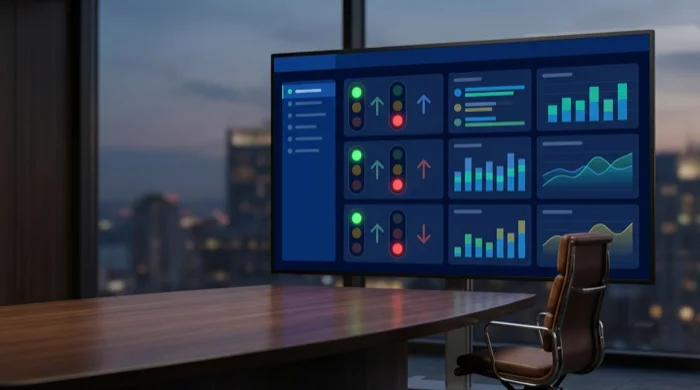
The examples below are not screenshots — they are structural blueprints. You can replicate each layout in a BI tool, a spreadsheet, or a purpose-built executive platform like Lestar AI CEO 360.
Example 1 — Financial Health Dashboard
Best for: CEOs who want a weekly snapshot of cash position, profitability, and burn before any other meeting.
Layout description:
The dashboard opens with a single-row “vitals bar” across the top — three large tile cards displaying Cash on Hand (in dollars), Gross Margin % (current month vs. prior month), and Operating Cash Flow (weekly figure). Each tile uses a large bold number in the center, a smaller comparison figure below it (e.g., “+8% vs last week”), and a RAG status dot in the upper right corner.
Below the vitals bar, the screen is divided into two columns:
- Left column (60% width): A 13-week rolling cash flow chart rendered as a combined bar-and-line chart. Bars represent weekly operating expenses; the line represents weekly revenue. When the line dips below the bar, the background of that week’s column turns light red — a visual cue requiring no interpretation.
- Right column (40% width): A vertical list of 6–8 secondary financial KPIs: Accounts Receivable (days outstanding), Accounts Payable (days outstanding), Revenue vs. Budget (%), Payroll as % of Revenue, and Top 3 Expense Categories (listed as horizontal progress bars against their monthly budget caps).
Color coding logic:
- Green: metric within 5% of target or better
- Amber: metric 5–15% below target
- Red: metric more than 15% below target, or cash runway below 60 days
Key metrics tracked: Cash on Hand, Operating Cash Flow, Gross Margin %, Net Profit Margin %, AR Days, AP Days, Revenue vs. Budget, Burn Rate (if applicable), Top 3 Cost Centers
Why it works for weekly reviews: Cash position and margin can shift significantly in a 7-day window, particularly for product businesses carrying inventory or service businesses with lumpy invoicing cycles. Reviewing this weekly — rather than monthly — gives CEOs 3–4 additional intervention windows per month.
Example 2 — Sales Pipeline & Revenue Dashboard
Best for: CEOs at B2B or SaaS companies reviewing pipeline health, close rates, and revenue predictability on a weekly basis.
Layout description:
The top section features a pipeline funnel visualization: five horizontal bars stacked vertically, each representing a stage (Prospect → Qualified → Proposal → Negotiation → Closed Won). The width of each bar is proportional to the total deal value at that stage, and the number of active deals is printed inside the bar. Stage-over-stage conversion rates appear between each bar as small percentage badges (e.g., “42% convert from Proposal to Negotiation”).
Below the funnel, the dashboard splits into three panels:
- Panel 1 — Weekly Revenue Summary (left, 35%): Current-week invoiced revenue vs. target, Month-to-Date revenue vs. monthly target, and a color-coded forecast confidence indicator (High / Medium / Low) based on pipeline coverage ratio.
- Panel 2 — Deal Velocity (center, 35%): Average deal cycle length (days) vs. prior quarter average, number of deals added this week, number of deals stalled for more than 14 days (flagged in amber), and number of deals closed this week.
- Panel 3 — Rep or Channel Performance (right, 30%): A simple ranked list of sales reps or acquisition channels, each showing deals closed this month, total value, and a 4-week trend sparkline.
Color coding logic:
- Pipeline coverage ratio below 3x: amber; below 2x: red
- Deals stalled more than 14 days: amber; more than 21 days: red
- Revenue tracking more than 10% ahead of target: highlighted in teal to flag upside risk (over-forecasting)
Key metrics tracked: Pipeline Value by Stage, Stage Conversion Rates, Deal Velocity, Weekly Invoiced Revenue, MTD Revenue vs. Target, Pipeline Coverage Ratio, Average Deal Size, Sales Cycle Length
Example 3 — Operations Efficiency Dashboard
Best for: CEOs and COOs at manufacturing, logistics, or service-delivery companies where operational throughput directly drives margin.
Layout description:
The top row holds four “headline metric” tiles: On-Time Delivery Rate (%), Defect/Error Rate (%), Utilization Rate (%), and Cost Per Unit or Cost Per Job. Each tile shows the current week’s figure, the prior week figure in smaller text below, and a trend arrow (up/down/flat).
The main body of the dashboard is a 2×2 grid of charts:
- Top-left — Throughput Over Time: A 12-week bar chart of units produced or jobs completed per week. A target line overlaid in dashed orange makes variance visible instantly.
- Top-right — Quality Metrics: A combination chart showing defect rate (line) against volume (bars). Spikes in defect rate against high-volume weeks are automatically highlighted — a pattern that often reveals capacity-related quality degradation.
- Bottom-left — Resource Utilization Heatmap: A 7-day heatmap (columns = days of week, rows = teams or machines) showing utilization percentage in each cell. Cells below 60% are white; 60–80% are light green; 80–95% are green; above 95% are amber (indicating over-utilization risk).
- Bottom-right — Open Issues Tracker: A running list of operational issues flagged in the past 14 days, each with a severity tag (P1/P2/P3), owner, days open, and status.
Color coding logic:
- On-Time Delivery below 90%: amber; below 80%: red
- Defect/Error Rate above baseline +20%: amber; above +40%: red
- Utilization above 95% for more than 3 consecutive days: amber (burnout/bottleneck risk)
Key metrics tracked: On-Time Delivery Rate, Defect Rate, Utilization Rate, Throughput Volume, Cost Per Unit/Job, Open Issue Count by Severity, Average Issue Resolution Time
Example 4 — AI-Flagged Anomaly Summary Dashboard
Best for: CEOs who want a single-screen summary of anything unusual happening across the business — without manually reviewing each department’s numbers.
This is the dashboard type that AI-powered platforms like Lestar AI CEO 360 are specifically built to generate. Rather than displaying all KPIs simultaneously, this dashboard surfaces only the metrics that have deviated from expected patterns in the past 7 days.
Layout description:
The screen is divided into two zones:
Zone 1 — Anomaly Alert Feed (top 40% of screen): A prioritized list of AI-detected anomalies, sorted by business impact severity. Each item shows:
- The affected metric name and department (e.g., “Accounts Receivable — Finance”)
- The anomaly description in plain language (e.g., “AR Days increased from 32 to 51 in 6 days — 59% deviation from 90-day average”)
- A severity badge: Critical (red), Warning (amber), or Watch (blue)
- A one-click “Investigate” button that expands a detail panel showing underlying data, historical baseline, and suggested follow-up actions
On a typical week for a healthy SME, this feed contains 2–5 items. If it contains more than 8 items in a single week, the dashboard header changes to a yellow background — a systemic signal, not just individual metric noise.
Zone 2 — Business Health Scorecard (bottom 60% of screen): A condensed view of all major KPI categories in a 3×2 grid of summary tiles. Each tile represents a category (Finance, Sales, Operations, HR, Customer, Marketing) and shows:
- An overall RAG status for the category
- The number of metrics on-target this week
- A 4-week trend sparkline for the category’s composite score
Color coding logic:
- Anomalies ranked by composite impact score (financial exposure × deviation magnitude × recency)
- Categories with zero anomalies display a subtle green checkmark
- Categories with a Critical anomaly pulse with a slow red border animation
Key metrics tracked: All metrics from all connected data sources — anomaly detection runs across 50–200 KPIs depending on integration depth; the dashboard only surfaces the ones that matter this week.
Why AI anomaly detection changes weekly reviews: According to a 2024 McKinsey analysis, executive teams using AI-assisted anomaly detection spend 37% less time in data review meetings and redirect that time toward strategic decisions.
Example 5 — Cross-Department Executive Summary Dashboard
Best for: CEOs preparing for a weekly leadership team meeting who need a single-page view covering all departments in under 5 minutes.
Layout description:
This dashboard is designed to be shared as a read-only link before a meeting — the digital equivalent of a one-page board pack.
The layout is a structured grid with six department blocks arranged in two rows of three. Each block contains:
- Department name as the card header in bold
- Three headline KPIs with current value, prior-week value, and a RAG dot
- One “highlight note” — a single sentence summarizing the most important development this week (auto-generated by AI or manually written by a department head)
- One risk flag (if any) — a red text line identifying the one metric needing CEO attention
The six departments in the default layout: Finance, Sales & Revenue, Operations, People & HR, Customer Success, and Marketing.
Below the department blocks, a “CEO Decisions Required” section lists items needing executive input this week — pulled automatically from flagged data or manually added by department heads.
Color coding logic:
- Each department card background: white (all green), light amber (1+ amber metrics), light red (1+ red metrics)
- The “CEO Decisions Required” list uses numbered priority ordering, not color — preventing visual overload
Key metrics tracked: 3 headline KPIs per department (customizable) plus one weekly highlight per department
What KPIs Should Appear on a Weekly CEO Dashboard?
Not every KPI belongs on a weekly dashboard. The test is simple: if the metric cannot meaningfully change in 7 days, or if the CEO cannot take any action based on its weekly value, it belongs on a monthly or quarterly review.
| KPI | Weekly? | Monthly? | Notes |
|---|---|---|---|
| Cash on Hand | Yes | Yes | Cash can change daily; weekly review catches problems early |
| Monthly Recurring Revenue (MRR) | Partial | Yes | Track weekly change in MRR, not absolute figure |
| Gross Margin % | Yes | Yes | Cost fluctuations can shift margin meaningfully week-to-week |
| Pipeline Coverage Ratio | Yes | Yes | Pipeline health changes every week with new deals and losses |
| On-Time Delivery Rate | Yes | Yes | Operational quality metric; weekly tracking prevents compounding |
| Employee Headcount | No | Yes | Rarely changes week-to-week; monthly is sufficient |
| Net Promoter Score (NPS) | No | Quarterly | Survey cadence makes weekly tracking meaningless |
| Customer Churn Rate | Yes | Yes | Early churn signals are visible in weekly cancellation data |
| Accounts Receivable Days | Yes | Yes | AR aging can deteriorate rapidly; weekly monitoring is warranted |
| Website Traffic / Leads | Yes | Yes | Top-of-funnel metrics that respond to weekly marketing activity |
The 15-metric rule: A weekly CEO dashboard should contain a maximum of 15 metrics for real-time tracking. If you have more than 15, categorize the extras as “on-demand” metrics accessible with one click but not displayed by default.
Common Mistakes in CEO KPI Dashboards
Confusing activity metrics with outcome metrics. Number of sales calls made is an activity metric. Revenue closed is an outcome metric. CEO dashboards should be dominated by outcome metrics. Activity metrics belong on team-level dashboards, not the executive view.
Using last month’s data for a “weekly” dashboard. This is the most common failure mode in SME dashboards. If your CRM, ERP, or accounting software only syncs monthly, your weekly dashboard is not a weekly dashboard. Before building a CEO dashboard, audit your data refresh rates. Most modern integrations support daily or near-real-time sync.
Setting targets once and never updating them. A KPI threshold set in January is often wrong by April. Build a 90-day threshold review into your calendar. A metric flagged as “red” against an outdated target is noise, not signal — and noise erodes trust in the dashboard over time.
Including too many vanity metrics. Social media impressions, website session duration, and email open rates look interesting but rarely drive weekly CEO decisions at an SME. If you cannot draw a direct line from the metric to a revenue or cost outcome within one quarter, it is a vanity metric for a CEO dashboard.
Building the dashboard in isolation. The most durable dashboards are built with input from every department head. Department heads who helped design the metrics they are held to are 3x more likely to maintain data quality in the underlying systems that feed the dashboard.
Frequently Asked Questions
What is a KPI dashboard?
A KPI dashboard is a visual display that consolidates key performance indicators from multiple business areas into a single screen. It allows executives and managers to monitor business health at a glance, identify performance gaps, and make data-informed decisions without manually compiling reports from individual systems.
What should be included in a CEO dashboard?
A CEO dashboard should include 10–20 metrics across Finance (cash flow, revenue, margin), Sales (pipeline, close rate, revenue vs. target), Operations (throughput, quality, cost per unit), and People (headcount, attrition). Each metric should show its current value, a prior-period comparison, and a red/amber/green status against a predefined target.
How often should a CEO review KPI dashboards?
Weekly is the recommended cadence for operational KPIs. A weekly review gives CEOs enough resolution to catch problems early without creating the reporting overhead of daily reviews. Monthly reviews are appropriate for strategic KPIs like net margin, customer lifetime value, and market share that change more slowly.
What is the difference between a KPI dashboard and a BI report?
A KPI dashboard is a curated, always-on view of a fixed set of critical metrics designed for fast consumption by non-analysts. A BI report is an ad-hoc or scheduled deep-dive into a specific question or dataset, typically requiring more time and analytical skill to interpret. CEOs need dashboards for weekly reviews and BI reports for quarterly planning.
How many KPIs should be on an executive dashboard?
Research in executive decision-making suggests 10–15 KPIs is the optimal range for a single dashboard view. Below 10, the dashboard may miss important signals. Above 20, cognitive load degrades decision quality. If your business requires tracking more than 20 KPIs, use a hierarchical structure: 10–15 on the primary dashboard with drill-down access to secondary metrics on demand.
Conclusion
The opening question this article set out to answer was: what do effective KPI dashboard examples for weekly CEO reviews actually look like?
The answer is: they look nothing like a spreadsheet full of numbers, and everything like a well-designed instrument panel — where status is visible before detail, anomalies surface before you have to hunt for them, and every metric on screen connects directly to a decision you can make this week.
The five examples in this guide — Financial Health, Sales Pipeline, Operations Efficiency, AI-Flagged Anomalies, and Cross-Department Executive Summary — cover the core information architecture that most SME CEOs need. Your actual implementation will be a subset or combination of these, shaped by your industry, your data maturity, and how your leadership team prefers to review information.
The single biggest determinant of whether a CEO dashboard gets used consistently is whether it saves time in the first week. If pulling the dashboard takes longer than the meeting it is supposed to improve, it will be abandoned within a month.
That is exactly what Lestar AI CEO 360 is built to do. It integrates with your existing data sources, applies AI anomaly detection across your KPIs, and delivers a weekly executive dashboard that takes 5 minutes to review rather than 5 hours to prepare. If you are ready to replace your Monday morning spreadsheet stack with a dashboard your leadership team will actually use, start your free trial of Lestar AI CEO 360 here.
Ready to give your leadership team real-time visibility? Talk to the Lestar CEO360 team today.
More ESG Insights
Kimi K3's "Sputnik Moment": The License Terms Matter More Than the Benchmark Score
Moonshot AI's Kimi K3 triggered a stock selloff and a fresh "Sputnik moment" framing when it landed near frontier-model benchmark scores at a fraction of the cost. The more useful story for engineering teams is less visible: a Llama-style custom license with revenue and attribution thresholds, and a vendor disclosure that serving throughput was cut by more than half shortly after launch. Here's what to check before it goes into a build recommendation.
The Retrieval Architecture Debate: When Grep Beats a Vector Database, and When It Doesn't
Anthropic dropped vector search from Claude Code in favor of grep. Qdrant's enterprise customers are doubling down on vector search for their own agent workloads. Both are right — they're solving different retrieval problems. Here's a practical framework for figuring out which one fits yours.
Enterprise AI ROI in 2026: Why Efficiency Gains Aren't Becoming Revenue Growth
AI adoption is near-universal in 2026, but the financial payoff isn't following at the same pace. New survey data from McKinsey, Bain, and Deloitte shows why cost savings are landing reliably while revenue growth mostly isn't — and what separates the small group of companies getting both.
Ready to Centralise Your Enterprise Data?
Whether you need Lestar ESG for sustainability reporting, Lestar CEO360 for executive intelligence, or a fully customised enterprise data implementation — Mandrill Tech will tailor the solution to your organisation's needs.